AI visibility checklist: how to make your website easier to find, cite, and recommend
A practical checklist of the technical and content signals that decide whether AI answer engines can find, parse, and cite your site, organized by category.
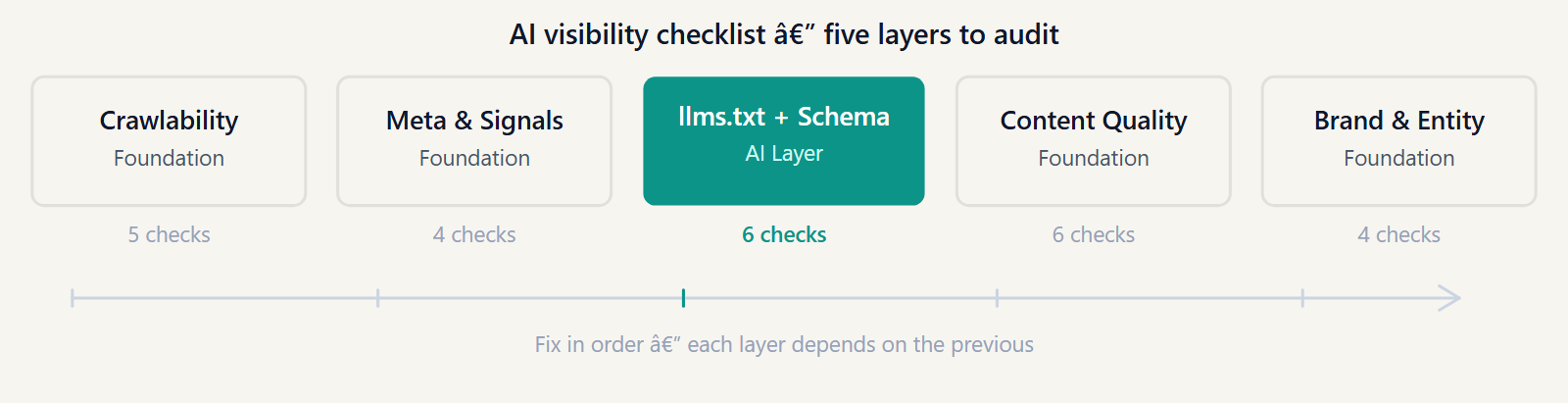
How to use this checklist
Each item has a criterion and what to check. "Pass" means the signal is present and correct. "Fail" means it's missing, broken, or actively working against you. Some items have partial states.
You can run through this manually on your own site, or use an automated audit to get a scored report across these categories. The checklist covers the same signals as the GEO Optimizer audit; the audit gives you a numeric score and specific recommendations per page.
Shorthand used below: AI crawler = agents like GPTBot, OAI-SearchBot, ClaudeBot, PerplexityBot, Googlebot (Google-Extended is a related but distinct signal — Gemini training/grounding only, not crawling or citation). Answer engine = ChatGPT web search, Perplexity, Gemini, Claude with web access, and similar.
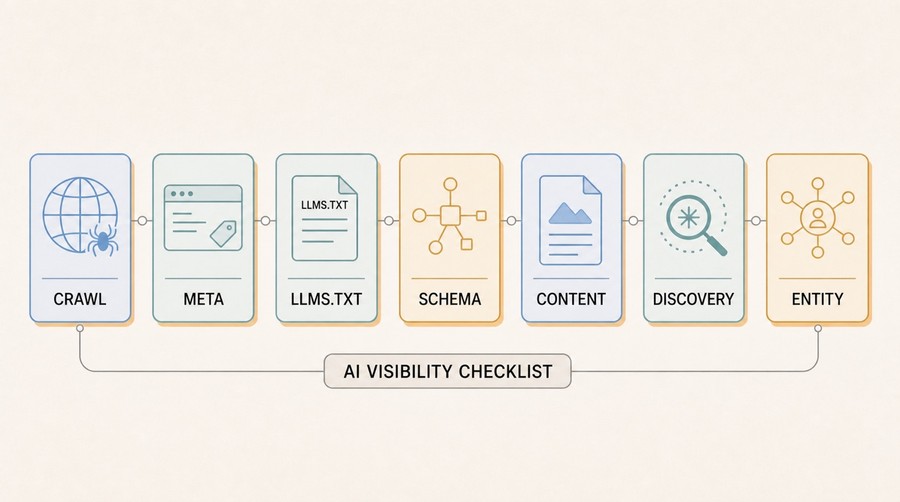
1. Crawlability
Foundation — fix this first
- robots.txt doesn't block AI crawlers you wantCheck: fetch
yourdomain.com/robots.txtand look forDisallow: /rules under GPTBot, OAI-SearchBot, ClaudeBot, PerplexityBot, Googlebot. If they're disallowed, those engines can't retrieve your content. (Google-Extended is a separate, training-only signal and isn't part of this check.)Pass: AI crawlers you want are explicitly allowed, or not mentioned (default allow). - Pages return 200 OKCrawlers that hit 4xx or 5xx errors on important pages won't index them. Check your key landing pages, guides, and product pages return clean 200s.Pass: no important pages returning error status codes.
- Redirects are 301, not chainsRedirect chains (A → B → C) slow down crawlers and dilute link equity. Each extra hop is a failure point. Use 301s directly to the canonical URL.Pass: no redirect chains longer than one hop on key pages.
- Response time under 3 secondsSlow pages get deprioritized or timed out during crawl. Measure TTFB (time to first byte), not just browser load time.Pass: TTFB under ~500ms; full page under ~3s for crawlers.
- Sitemap is present and linked from robots.txtAdd
Sitemap: https://yourdomain.com/sitemap.xmlto your robots.txt so any crawler can discover all your pages.Pass: sitemap exists, is accessible, and is referenced in robots.txt.
2. Meta signals
Page-level identification
- Each page has a unique, descriptive <title>Title tags are used by both classic search and AI retrieval systems to categorize pages. Duplicate or generic titles ("Home | Site Name" on every page) confuse retrieval.Pass: every important page has a unique title that describes its specific content.
- Meta description present and accurateNot a direct ranking signal for AI, but descriptions are sometimes used as context by tools that summarize pages. Keep them factual and specific.Pass: meta description present on all key pages, accurate, under 160 characters.
- Canonical tag present and self-referencingWithout a canonical, retrieval systems may treat multiple URL variants of the same page as separate content, diluting its signal.Pass:
<link rel="canonical">on every page, pointing to the preferred URL. - Open Graph / og: tags presentOG tags are used when pages are shared and summarized. Some AI summarization tools also read them. At minimum: og:title, og:description, og:image.Pass: og:title, og:description, og:image, og:url present on key pages.
3. llms.txt
Curated content map for AI tools
- llms.txt exists at domain rootCheck:
yourdomain.com/llms.txtshould return a plain text file, not a 404 or HTML page.Pass: file accessible, returns plain text (Content-Type: text/plain). - llms.txt follows the correct formatThe file should use Markdown: H1 for site name, a blockquote for the summary, H2 sections for categories, and link lists with descriptions. See our implementation guide.Pass: valid Markdown, site description present, at least one section with linked pages.
- llms.txt includes most important pagesA file that only lists low-priority pages (or auto-generates every post) is worse than a curated short list. Include homepage, key product/service pages, and your best content.Pass: core pages present; no more than ~30-50 entries (quality over quantity).
4. Structured data (schema.org)
Explicit entity and relationship signals
- Organization or Person schema presentEvery site should declare its identity. An
Organizationschema with name, URL, logo, and description helps AI systems build entity associations.Pass: valid JSON-LDOrganization(orPersonfor personal sites) on homepage. - WebSite schema with search actionHelps engines understand the site as a whole. Include a
SearchActionif you have on-site search.Pass:WebSiteschema present, name and URL match the canonical domain. - Article schema on blog/guide pagesMarks content as authored, dated, and categorized. Include
headline,author,datePublished,dateModified.Pass: valid Article schema on all editorial content pages. - FAQPage schema where applicableFAQ sections marked with
FAQPageschema give AI systems clean question-answer pairs to pull from.Pass: FAQPage schema present on pages with Q&A sections; questions and answers accurate and specific. - BreadcrumbList schema on sub-pagesHelps engines understand site structure and page context.Pass: breadcrumb schema present on all pages more than one level deep.
- No schema validation errorsMalformed JSON-LD (unclosed brackets, wrong types) can be silently ignored. Validate with Google's Rich Results Test or schema.org validator.Pass: no errors in validator; warnings are acceptable if the meaning is clear.
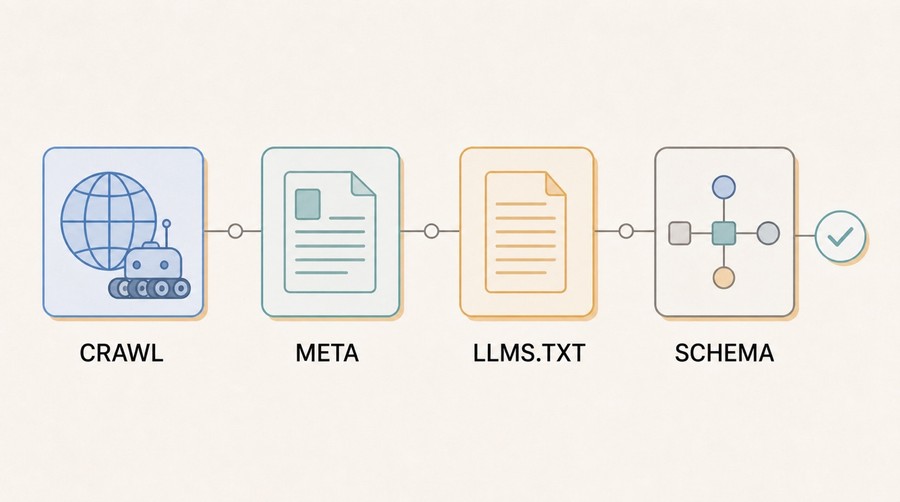
5. Content signals
Quotability and clarity
- Content is in server-rendered HTMLView the raw HTML source (not the rendered DOM). Your key paragraphs, headings, and facts must appear there. If they only appear after JavaScript runs, assume a basic crawler won't see them.Pass: all important content present in raw HTML source.
- Pages lead with a direct answer or summaryAI retrieval favors pages where the first paragraph states the answer clearly. Burying the key point under marketing prose reduces quotability.Pass: first paragraph of each key page states its main point directly.
- Headings match real questions or intentsH2/H3 headings that match how people phrase queries help retrieval systems identify which section answers which question.Pass: headings are descriptive and query-shaped; not generic ("Introduction", "Section 3").
- Facts are specific and verifiableVague claims ("industry-leading performance") aren't quotable. Numbers, dates, and concrete statements are. A model can cite "response time under 200ms"; it can't cite "blazing fast".Pass: key claims are specific, dated where relevant, and don't require context to interpret.
- One idea per paragraphDense paragraphs that mix multiple ideas are harder to lift cleanly. Short, focused paragraphs make it easy for a model to pull a clean passage.Pass: most paragraphs cover one point; rarely more than 5-6 sentences.
- Processes are written as numbered stepsNumbered steps are one of the easiest formats for AI to quote and reproduce. If you're explaining how to do something, use an ordered list.Pass: all how-to content uses numbered steps, not prose-only descriptions.
6. AI discovery signals
Findability beyond direct crawl
- XML sitemap is complete and up to dateA sitemap tells crawlers what URLs exist. An outdated sitemap with broken or missing URLs undermines discoverability.Pass: sitemap includes all important pages; lastmod dates are accurate; no 404s in the sitemap.
- Internal linking connects key pagesOrphan pages (reachable only via sitemap, not through in-site links) are less likely to be indexed and less likely to accumulate authority.Pass: every important page linked from at least two other pages; no key pages require sitemap to reach.
- No noindex on pages you want citedA
noindexmeta tag or X-Robots-Tag header tells crawlers to exclude the page from their index. Verify it isn't set accidentally on content you want visible.Pass: no noindex on pages you want indexed and cited.
7. Brand and entity signals
Who you are, consistently stated
- Brand name used consistently across all pagesInconsistent naming (sometimes "Acme", sometimes "Acme Inc.", sometimes "acme.com") fragments entity associations. AI systems use consistent references to build confidence in who you are.Pass: brand name spelled identically across title tags, schema, footer, and copy.
- About page describes the entity clearlyA clear, factual About page (who you are, what you do, where you're based, when founded) gives models anchor points for entity recognition.Pass: About page exists, factual, describes the organization concisely.
- Social profiles and external mentions are consistentLinkedIn, GitHub, Crunchbase, press mentions — all should use the same brand name and description. Cross-web consistency strengthens entity association.Pass: major external profiles exist and match on-site branding.
- Wikidata or Wikipedia entry (if applicable)Not achievable for most sites, but the strongest entity signal if you qualify. Models are trained on Wikipedia and Wikidata; being there creates a canonical entity record.Pass: entry exists, accurate, linked from your site. Skip if not notable enough — a bad entry is worse than none.
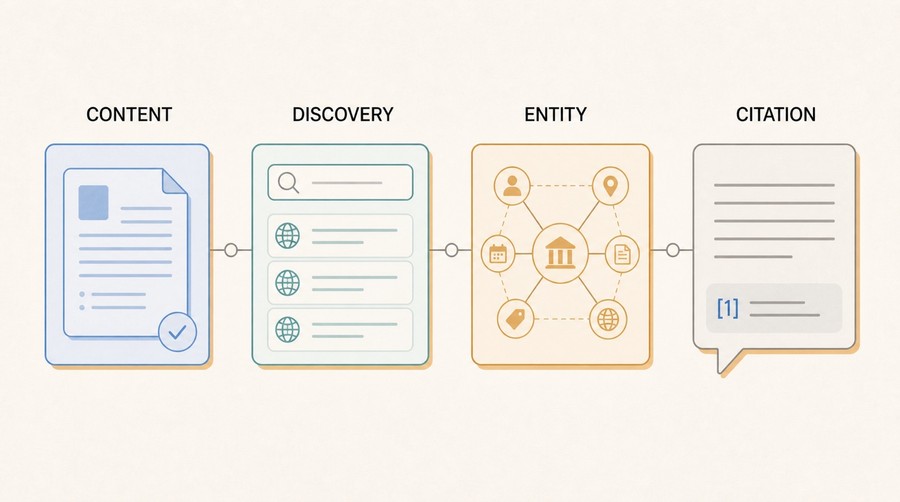
Priority order for a first pass
If you're auditing a site for the first time and want to know where to start:
- Fix crawlability issues first — robots.txt blocks, redirect chains, slow responses.
- Add or fix canonical tags and meta titles on all key pages.
- Create an
llms.txt— low effort, explicitly surfaces your priorities. - Add Organization and Article schema to your homepage and content pages.
- Rewrite your most important page introductions to lead with direct answers.
- Fix internal linking so no important page is an orphan.
- Work on brand/entity consistency across the web — this is slower but compounds.
The GEO vs SEO guide explains why these priorities differ from a classic SEO checklist.
Limits of this checklist
This checklist covers signals that are in your control. It doesn't cover:
- Training data inclusion — you can't directly control whether your site was included in a model's training corpus, only whether future crawls can access it.
- Citation frequency — even a perfect score doesn't guarantee citations. Models have their own retrieval and selection logic, and it changes between versions.
- Query intent matching — if your content doesn't actually answer the queries people are asking, technical optimization won't manufacture relevance.
- Domain authority — established, heavily-cited domains have an advantage that a checklist won't close overnight.
Use this checklist to remove friction and make your site's signals accurate. Don't use it expecting guaranteed citation outcomes — no checklist can promise that.
Further reading
- How to make your website appear in ChatGPT and Perplexity sources — deep dive on the crawlability and content layers.
- GEO vs SEO: what changes when AI becomes the interface — how these signals differ from classic SEO priorities.
- llms.txt for WordPress and AI visibility — implementing the llms.txt layer.
- The research behind these categories: GEO Optimizer research foundation.
- Our philosophy on AI visibility: the manifesto.
- Do backlinks still matter for AI search?
- Prompt injection attacks on AI crawlers
- GEO for Agencies: Auditing and Reporting AI Visibility for Clients
Apply this guide
Run an AI SEO audit before you change pages.
Use the audit to find which signal is holding the site back: crawler access, schema, llms.txt, content clarity, AI discovery, or entity strength.
- Best for pages that need a technical and content baseline.
- Next metric: AI readiness score plus the weakest signal category.
Frequently asked questions
What's the difference between "pass" and "fail" on this checklist?
Pass means the signal is present and correct; fail means it's missing, broken, or actively working against you. Some items have partial states in between.
Where should I start if I'm auditing a site for the first time?
Fix crawlability first (robots.txt blocks, redirect chains, slow responses), then canonical tags and meta titles, then create an llms.txt, add Organization and Article schema, rewrite key page introductions to lead with direct answers, fix internal linking, and finally work on brand/entity consistency.
Does passing every item on this checklist guarantee AI citations?
No. The checklist covers signals you control — it can't guarantee training data inclusion, citation frequency, or query intent matching. It removes friction and makes your signals accurate; it doesn't manufacture citations by itself.
Can I run this checklist manually, or is there an automated version?
Both work. You can go through it manually on your own site, or use the GEO Optimizer audit to get a scored report with specific recommendations per page across the same categories.
Get the monthly State of GEO report
AI search readiness benchmarks, adoption stats, and the actions that move the needle — delivered monthly. No spam.
By submitting, you agree to receive the monthly GeoReady newsletter: benchmark data from the State of GEO dataset, practical GEO guidance, and product updates. You can unsubscribe anytime. See our Privacy Policy.